







21 Oct, 2026
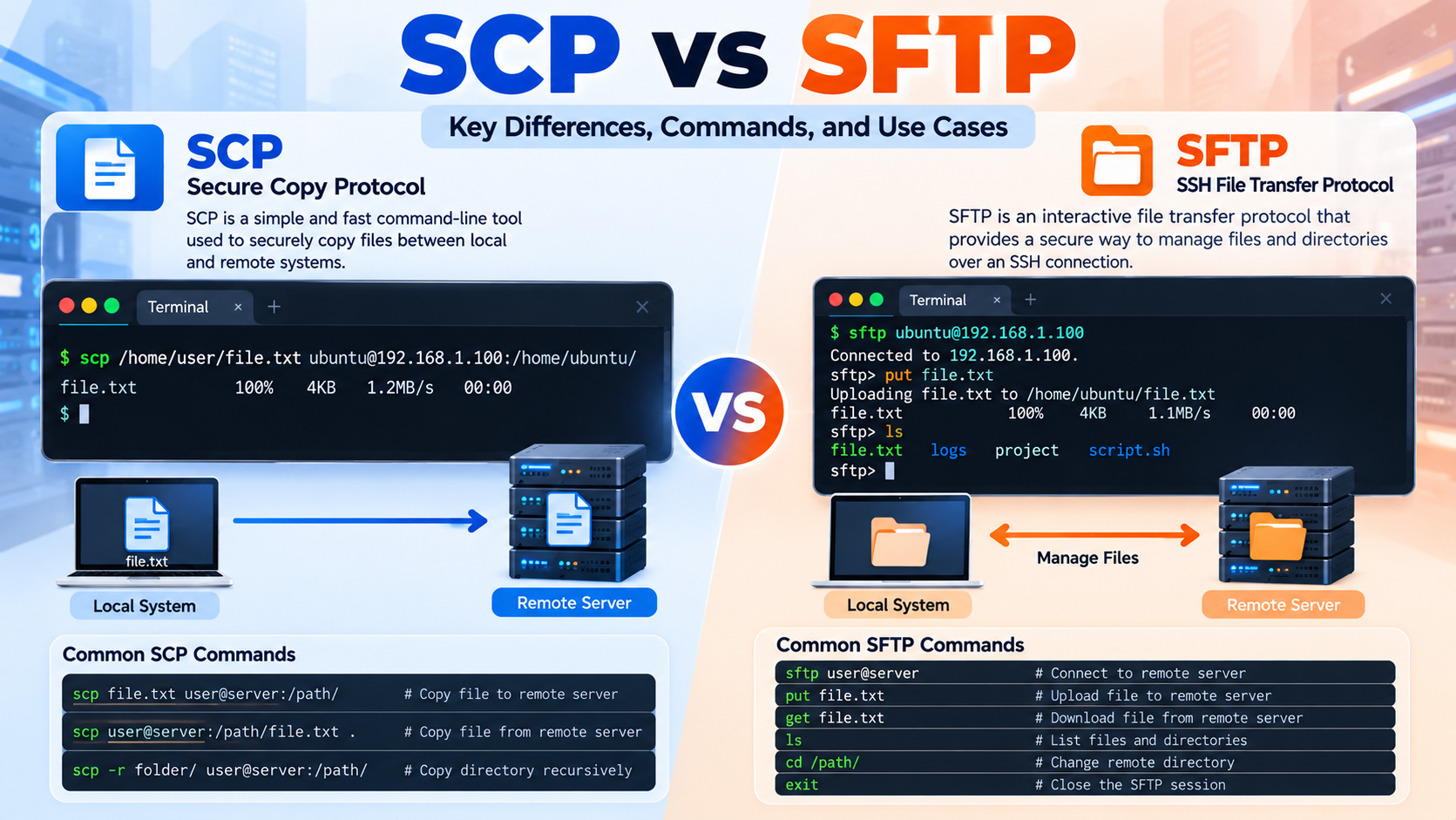
Difference Between SCP and SFTP scp sftp difference is an important topic for Linux administrators, DevOps engineers, developers, and anyone who regularly transfers files between local computers and remote servers.…
SSH Key Configuration to Connect with VM SSH key Configuration provides a secure and convenient way to connect to a virtual machine without repeatedly entering a password. SSH, or Secure…
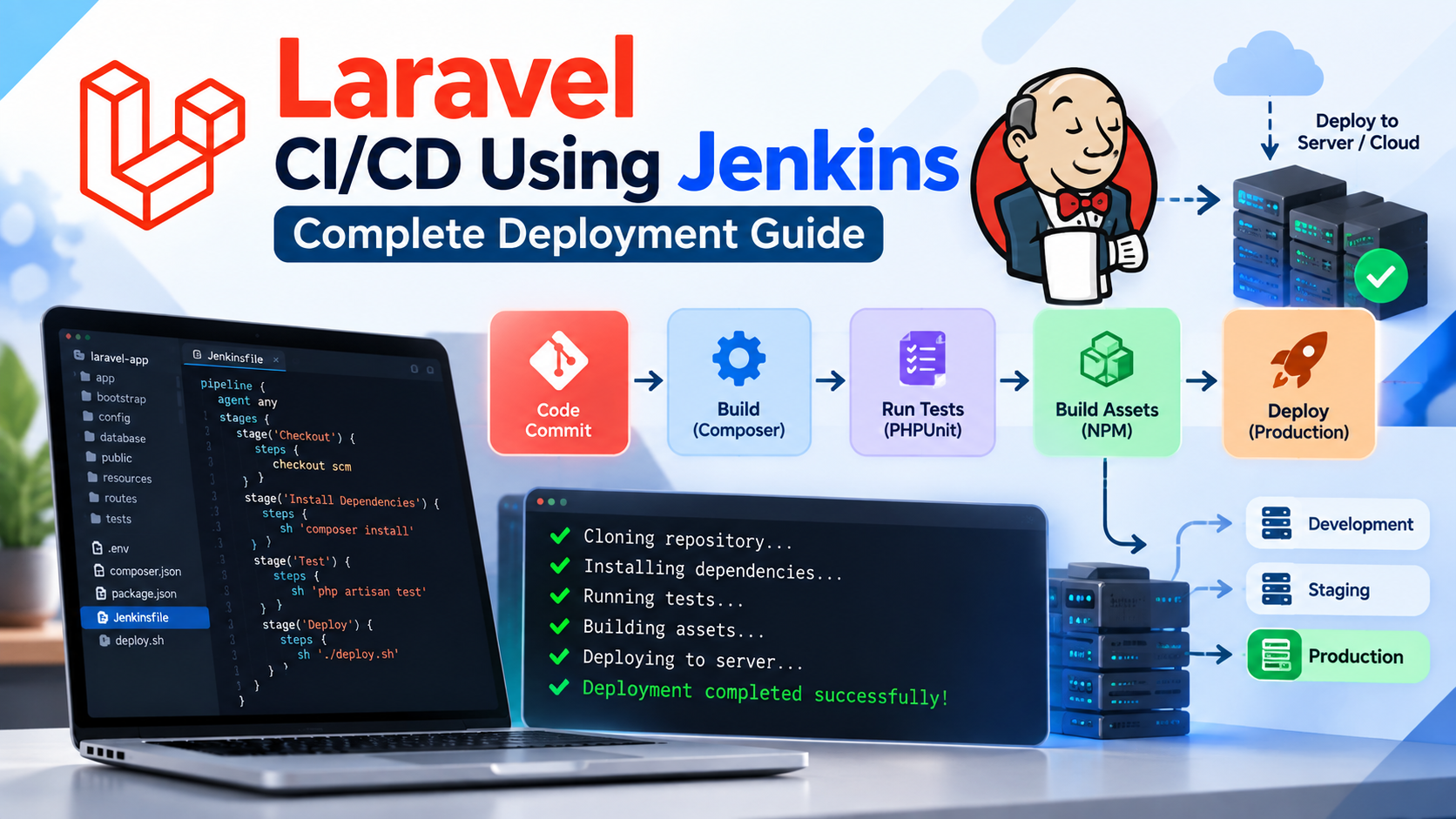
How to Build and Deploy a Laravel CI/CD Using Jenkins Laravel CI/CD Using Jenkins creates an automated path from a developer’s Git commit to a tested and deployable Laravel application.…
Setup Laravel with Docker Laravel with Docker provides a consistent, isolated, and portable environment for developing and deploying modern PHP applications. Instead of installing PHP, Composer, MySQL, Redis, Nginx, and…
The Terraform workflow forms the foundation of Infrastructure as Code (IaC) practices, enabling DevOps engineers and cloud professionals to define, provision, and manage infrastructure across multiple cloud providers efficiently. Understanding…

how can I add comments to a batch file?

The REM statement This is the most common way to write comments. Any line in your bat-file that starts with REM is completely ignored by the command-processor. REM This bat-file moves all files in C:Incoming to C:ToProcess REM Written by Nikunj Kansara REM 05/01/2003 Double Colons Alternatively you can replace the word REM by two […]

Share your Love
1 min read

Hide Div using Javascript

To hide a div element using JavaScript, you can set its style. Display property to “none“.  Here’s an example: <!DOCTYPE html> <html> <head> <title>Hide a div with JavaScript</title> <script> function hideDiv() { var divElement = document.getElementById(“myDiv”); divElement.style.display = “none”; } </script> </head><body> <div id=”myDiv”> <p>This is the content of my div element.</p> </div> <button onclick=”hideDiv()”>Hide […]

Share your Love
1 min read

Node.js Response.WriteHead function

Up until now all we’ve been sending into the writeHead function is the status code. However, it can take additional parameters like ‘Content-Length’, ‘Content-Type’. var http = require(‘http’); var fs = require(‘fs’); http.createServer(function(request, response) { response.writeHead(200, {‘Content-Type’: ‘text/html’} ); fs.readFile(‘index.html’, function(err, contents) { response.write(contents); response.end(); }); }).listen(8080); Share your Love     

Share your Love
1 min read

Node.js Read File from Server

Now, showing you how to create an HTTP non-blocking server and how to read a file of the non-blocking filesystem. var http = require(‘http’); var fs = require(‘fs’); http.createServer(function(request, response) { response.writeHead(200); fs.readFile(‘index.html’, function(err, contents) { response.write(contents); response.end(); }); }).listen(8080); Generate Request curl http://localhost:8080 Share your Love     

Share your Love
1 min read